
Authentication layers
OAuth and email-password layers in flows, host handlers, terminal redaction, and canvas editor gates.
Purpose
Rheo flows can include OAuth login and email/password authentication layers. The dashboard authors the UI chrome; your host app runs the actual sign-in or sign-up against your identity provider. Rheo never stores OAuth tokens or passwords — they are handled only in host callbacks and are omitted from terminal snapshots and analytics field maps.
Mental model
| Layer | Who runs auth | What Rheo records |
|---|---|---|
| OAuth login | Host via OAuth handler | Success/failure advances the flow; auth field keys omitted from answers |
| Email/password auth | Host via email/password handler (optional) | Validated email/password never sent to Rheo |
| Standalone email/password field or submit | Host or auto-advance in preview | Same redaction rules |
One screen may contain at most one auth block (OAuth or email/password) and cannot mix auth with other input layers on the same screen.
How to — React Native
Wrap your flow tree with providers and attach handlers:
import {
  OAuthLoginProvider,
  EmailPasswordAuthProvider,
  Flow,
} from '@getrheo/react-native-expo';

<OAuthLoginProvider
  respond={flow.respond}
  handler={(payload) => {
    // payload.provider — google, apple, custom, etc.
    // payload.resolve({ success: true }) or { success: false, error }
    signInWithProvider(payload.provider).then(
      () => payload.resolve({ success: true }),
      (err) => payload.resolve({ success: false, error: err }),
    );
  }}
>
  <EmailPasswordAuthProvider respond={flow.respond}>
    <Flow channelId="ch_test_…" />
  </EmailPasswordAuthProvider>
</OAuthLoginProvider>
For email/password, attach a handler on EmailPasswordAuthProvider. When no handler is attached, client-side validation auto-responds with success: true so builder preview and tests advance without a backend.
Password rules
Authors configure password rules on the email/password auth layer in the flow builder:
| Rule | Behavior |
|---|---|
minLength | Minimum characters. Defaults to 8 when neither passwordRules.minLength nor legacy minPasswordLength is set. |
maxLength | Optional upper bound (must be ≥ min when set). |
requireUppercase | At least one A–Z character. |
requireLowercase | At least one a–z character. |
requireDigit | At least one digit. |
requireSpecial | At least one non-alphanumeric character. |
Prefer passwordRules.minLength over the deprecated top-level minPasswordLength. Rules run as client-side validation before your host handler is called. Invalid passwords never reach the host callback. On iOS, the same rules help drive Automatic Strong Password hints.
Terminal payload redaction
onFlowCompleted / onFlowAbandoned receive a FlowTerminalSnapshot:
answers— normalized field-key map for inputs, checkboxes, and permission keys. Keys tied to OAuth or email-password auth are omitted; use your auth callbacks for identity outcomes.answersDetail(optional) — raw step responses with the same auth keys stripped whenincludeAnswerDetailInTerminalPayloadis true.traits— merged SDK attributes + attribution at terminal time (not auth secrets).
OAuth failure without screen advance does not emit step completion analytics for that screen.
Canvas editor gates
Per-app toggles under App settings → Convert settings → Canvas controls disable layer families in the builder and block publish when violated.
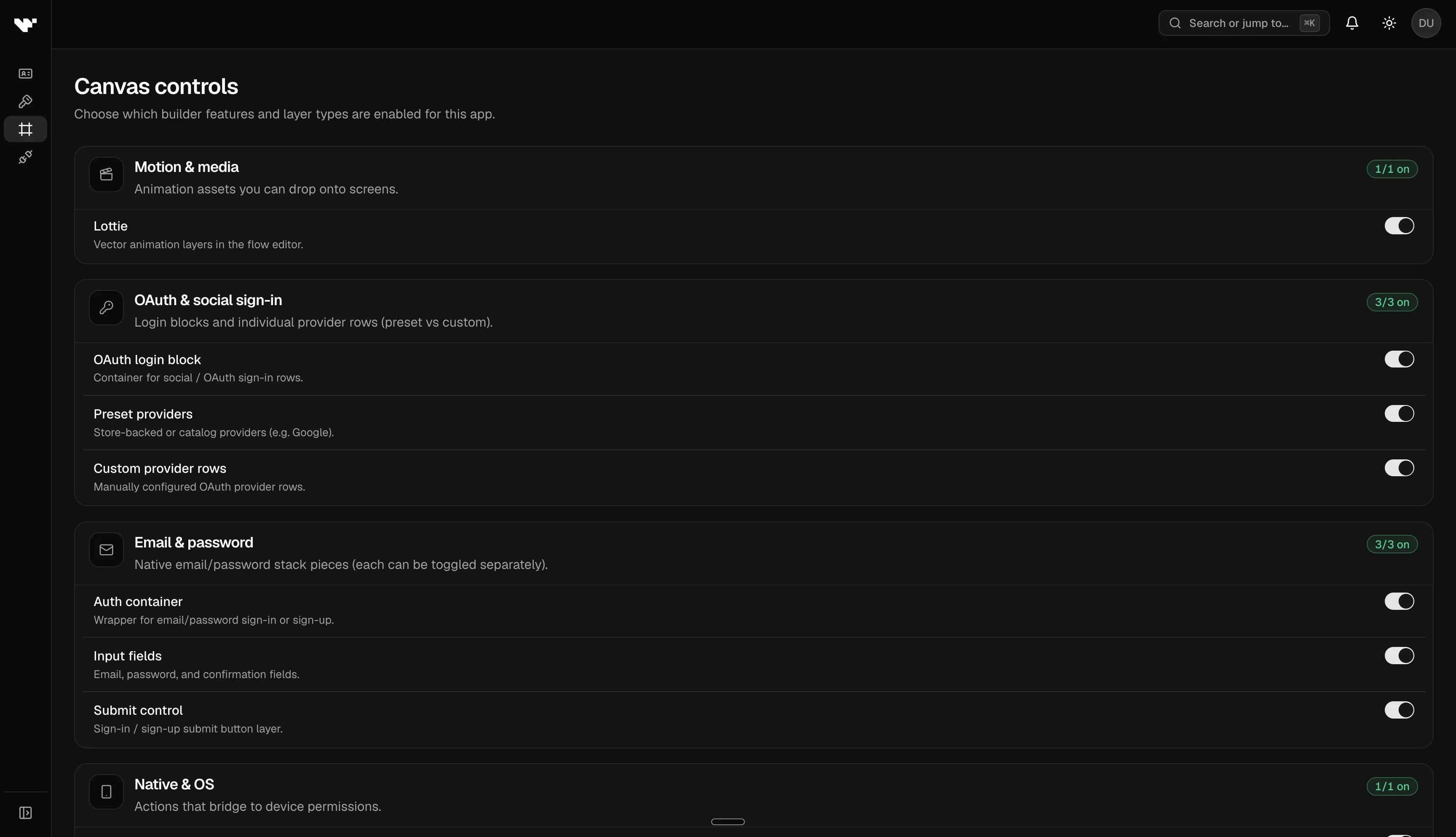
| Gate | Controls |
|---|---|
| OAuth login | OAuth login blocks |
| OAuth provider preset | Preset provider buttons inside OAuth login |
| OAuth provider custom | Custom provider buttons |
| Email/password auth | Composite email/password blocks |
| Email/password field | Standalone field layers |
| Email/password submit | Standalone submit layers |
Plan entitlements may further restrict advanced layers on Indie; gates are app-scoped overrides on top of plan defaults.
Limits and permissions
- Never embed identity provider secrets in the manifest or SDK config.
- Auth layers require host implementation — Rheo does not ship Clerk/Firebase/Auth0 adapters in the core SDK.
- Dashboard Authentication settings describe workspace sign-in; this page covers end-user auth inside flows.