
Apps Settings
Per-app branding, integrations, canvas controls, and SDK credentials.
Overview
An app is the container for flows, SDK keys, integrations, and canvas editor controls. Settings here affect both what authors can place in the flow builder and what your live app receives at runtime — for example attribution and paywall adapters.
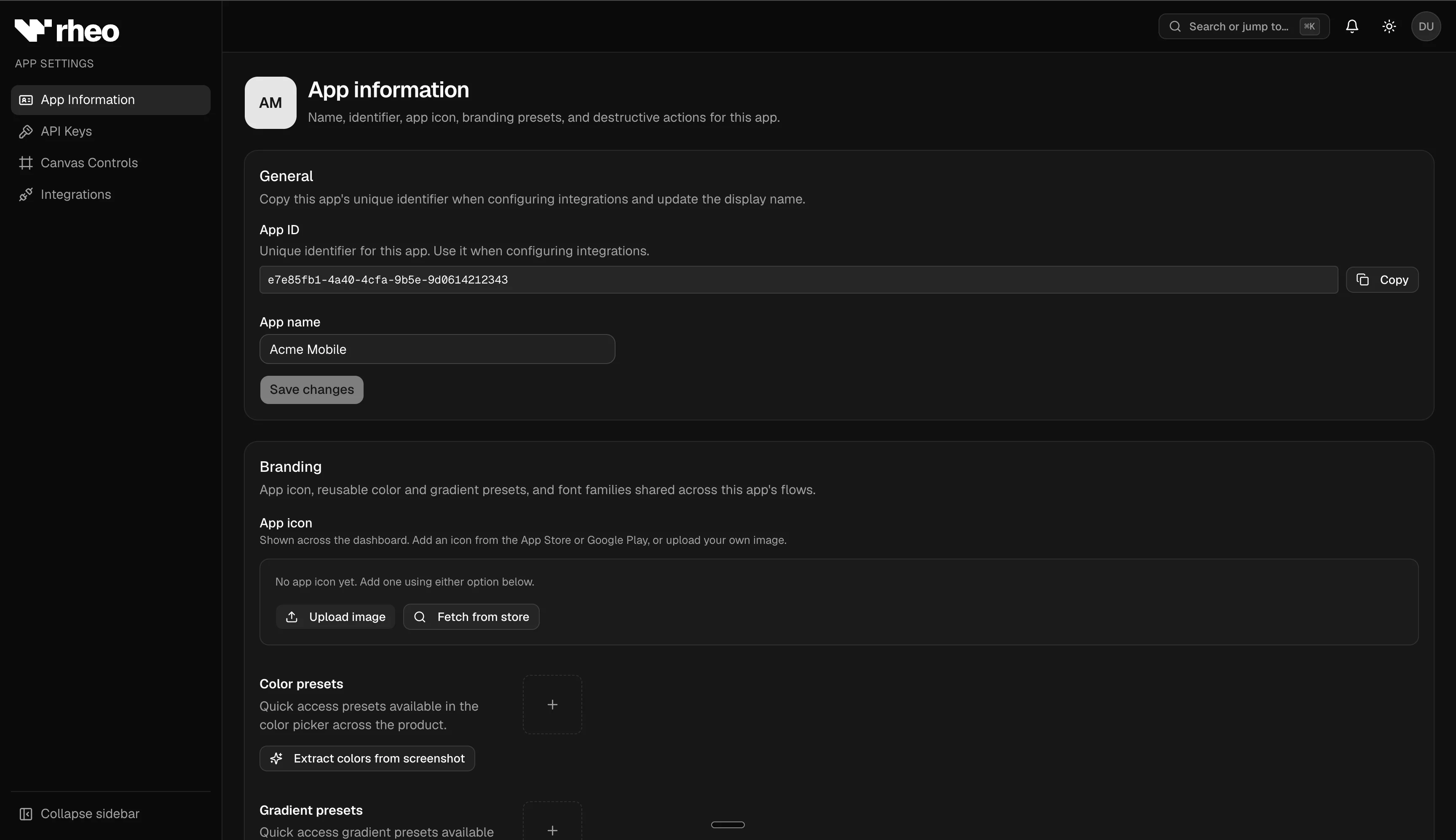
App list and general settings
- Apps — Create or select an app from the workspace app list. Each app has its own flows, channels, analytics, and credentials.
- App information — Set the app name, description, and branding used where Rheo surfaces app identity.
Convert settings
Convert settings group canvas editor gates and partner integrations for onboarding flows.
Integrations
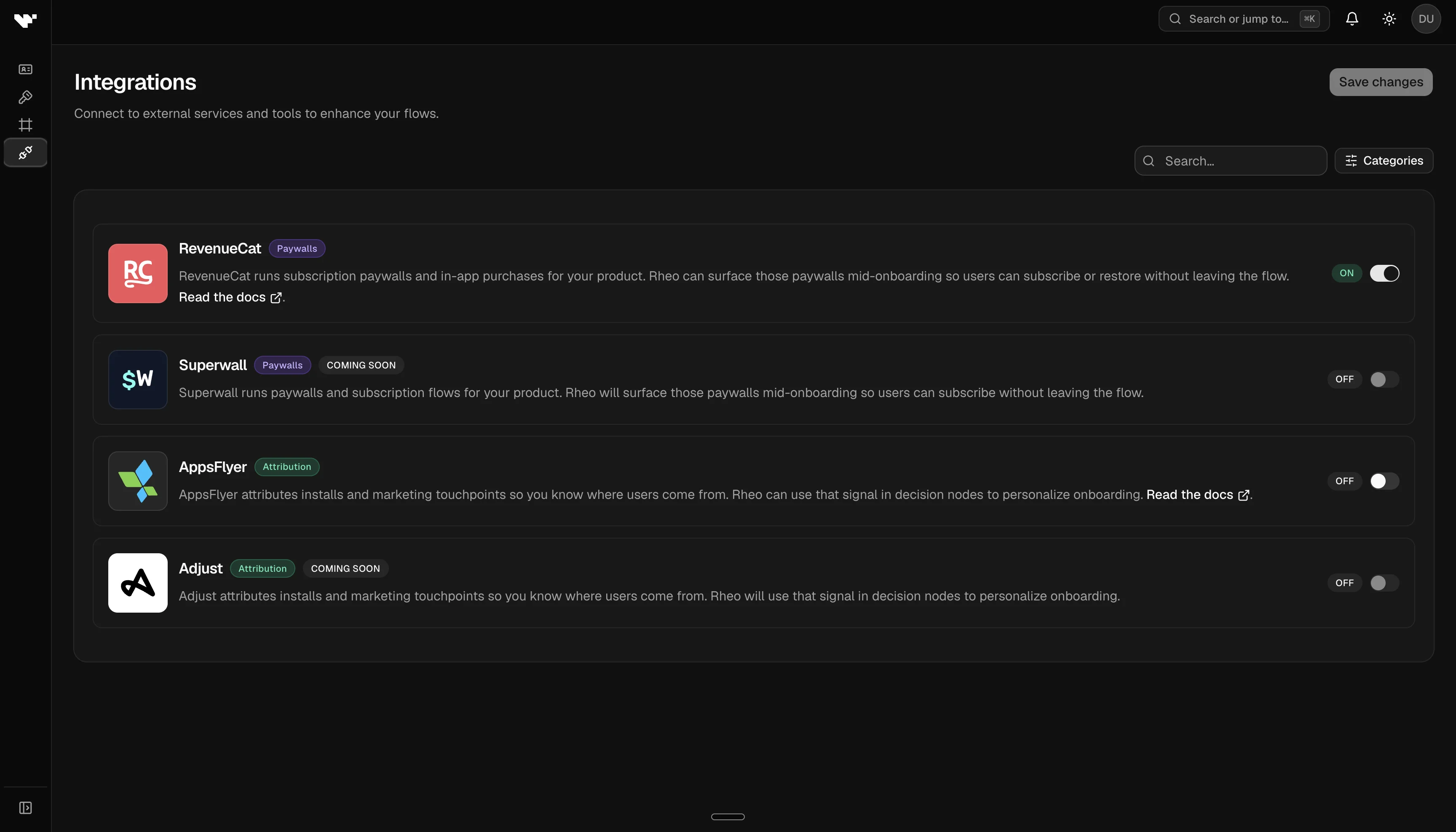
Open App settings → Convert settings → Integrations to connect partner services. Integration availability depends on your workspace plan — Grow and above.
Web SDK
The Web SDK card is for browser funnels. It does not require a plan toggle.
- Allowed web origins — one exact origin per line, including scheme and port (
https://app.example.com). Addhttp://localhost:5173yourself for the Next.js example.httpis allowed only forlocalhostand127.0.0.1. Browsers may call the SDK only from origins you list. Requests with noOriginheader, such as the mobile SDKs, are unchanged. - Stripe webhook URL — copy this into Stripe. A completed Checkout Session posted here is the purchase record for a Payment Link.
- Webhook signing secret — paste the Stripe signing secret (
whsec_…). Rheo stores it on the app and never returns it to the SDK. Saving a new value replaces the previous one.
See Web SDK and Stripe Payment Links.
RevenueCat
Toggle RevenueCat on to allow Integration Nodes with a RevenueCat paywall in the flow builder. Optionally set default offering and placement IDs so new Integration Nodes inherit sensible presets.
Your host app still initializes the RevenueCat SDK directly; Rheo coordinates paywall presentation through your flow. Your engineering team can follow the RevenueCat integration guide.
Superwall
Toggle Superwall on to allow Integration Nodes that register a Superwall placement mid-flow. Optionally set a default placement ID so new Integration Nodes inherit a sensible preset.
Your host app still configures Superwall (API key / provider) directly; Rheo registers the placement when the flow reaches the node and branches on the outcome. See the Superwall integration guide.
External Surface Nodes (host custom UI) do not appear here — they are always available in the flow builder on Grow+ and are wired in the host app via externalSurfaces. See Headless external surfaces.
AppsFlyer
Toggle AppsFlyer on so live resolve can advertise attribution support and your SDK may attach mobile measurement listeners after resolve. Requires a plan that includes attribution.
Your engineering team can follow the AppsFlyer integration guide in the Developer Guide.
Canvas controls
App settings → Convert settings → Canvas controls lets you restrict which layer types appear in the flow builder palette. Disabled types are hidden from authors and block publish if an existing flow still uses them.
Controls cover:
- Lottie animations
- OAuth sign-in (preset and custom providers)
- Email and password auth rows
- OS permission request layers
Your workspace plan may further limit availability. On Indie, animations are not available regardless of the per-app toggle.
Engage settings
Engage settings cover outbound lifecycle email for Rheo Engage.
- Email Settings — Connect one bring-your-own provider (SES, Resend, Postmark, or SendGrid), set a physical mailing address, paste the bounce/complaint webhook URL, and review deliverability health.
- Frequency Cap — Max emails per contact, rolling window, app default timezone, quiet hours (defer delivery), and the test destination allowlist.
- Marketing consent — Optional marketing topics mode (off by default), topic labels, and branding/copy for the hosted preference center.
See Set up Engage for the full setup path.
SDK credentials
Create or rotate publishable keys for test and live environments from your app's API keys settings. Test keys are for development and staging; live keys serve production users.
Share keys only with your engineering team. Rotate immediately if a key is exposed.
These keys authenticate the mobile SDKs and the web SDK. For terminal automation, create a separate CLI API key under Account → Personal and see the CLI guide.
Limits and permissions
- Some settings require admin or owner roles.
- Plan caps — maximum apps, channels per environment, seats, and MAU — are enforced across the workspace. The dashboard shows upgrade prompts when you approach or hit a limit.
See Plans & entitlements for the full tier comparison.