
User Guide
Flows
Create, version, publish, and retire onboarding flows from the Rheo dashboard.
What is a flow?
A flow is the versioned onboarding experience you design in Rheo — screens, branches, paywalls, and motion — that your app shows to users. Flows do not go live on their own. A channel (or an experiment arm) points at a published flow version before end users see it.
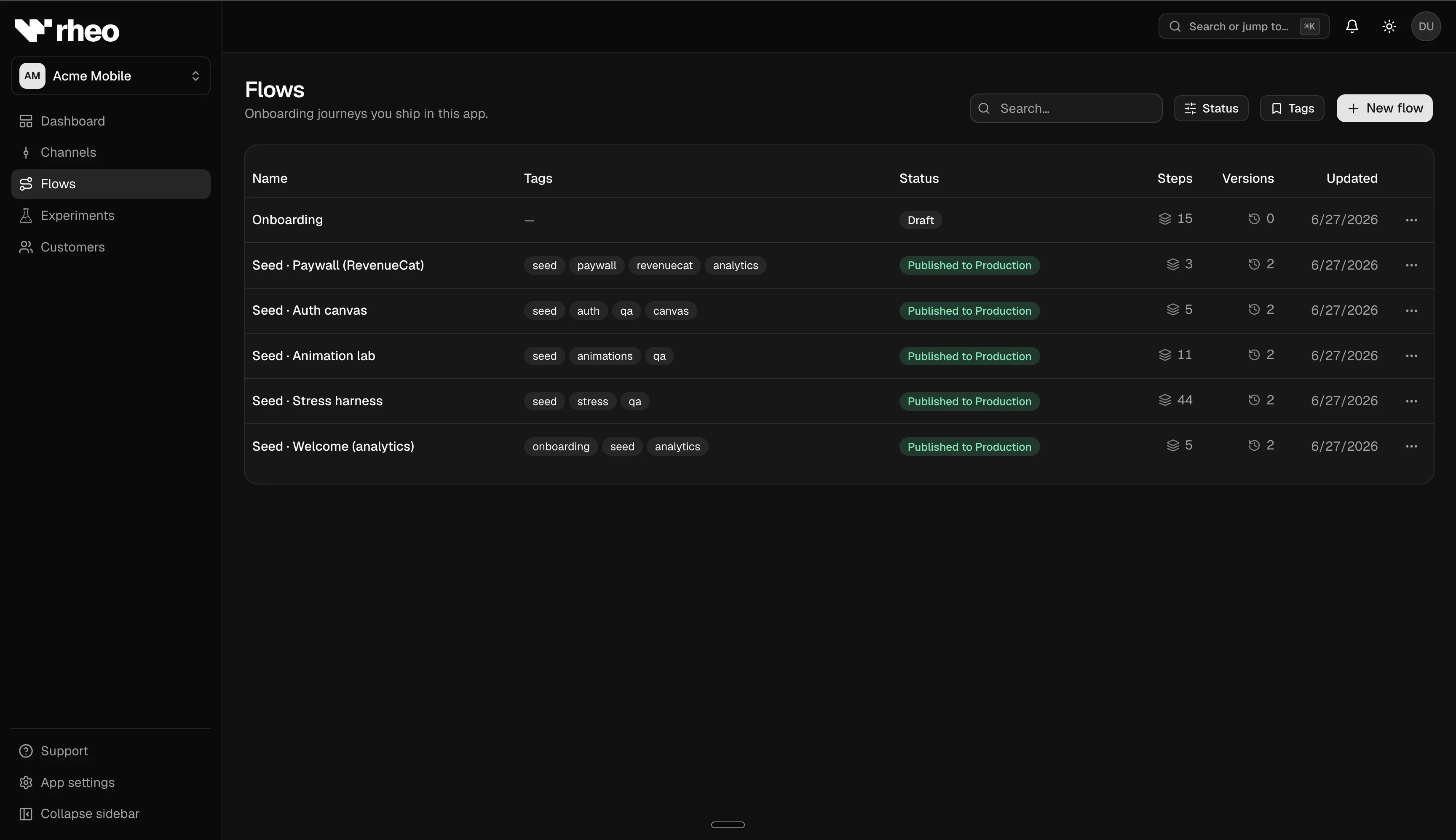
Lifecycle
- Create — From your app’s Flows page, create a blank flow, start from a template, generate with AI, or import an existing experience. Open Edit to enter the flow editor.
- Draft — The editor autosaves as you work. Rheo checks your flow for common issues (missing connections, disabled integrations, and similar) before you can publish.
- Publish — Publishing creates an immutable version that channels and experiments can pin. Unpublished drafts never affect live users.
- Duplicate — Copy a flow when you want to try large structural changes without changing the original.
- Retire — Archive or stop assigning flows when a campaign ends. Keep each channel pointed at an active published version.
Versioning
Each publish creates a new version you can label and browse from the flow editor. Analytics and experiments can filter to a specific version so you do not mix audiences from before and after a change.
Channels and experiments
- Channels point at a single published flow version (or follow experiment rules configured for that channel’s environment).
- Experiments attach variant arms — each arm pins a flow version, and assignment stays consistent per user. See Experiments.
Limits and permissions
- Publishing may require a specific workspace role, or approval on sensitive channels (Scale plan).
- Flows that use partner integrations (for example RevenueCat or Superwall paywalls) require those integrations to be enabled for the app — otherwise publish is blocked with a clear message. Headless surfaces do not need an App settings toggle.