
Demo & product tours
Walk through the Rheo dashboard with sample data — safe training that never touches your workspace.
What the product tour is
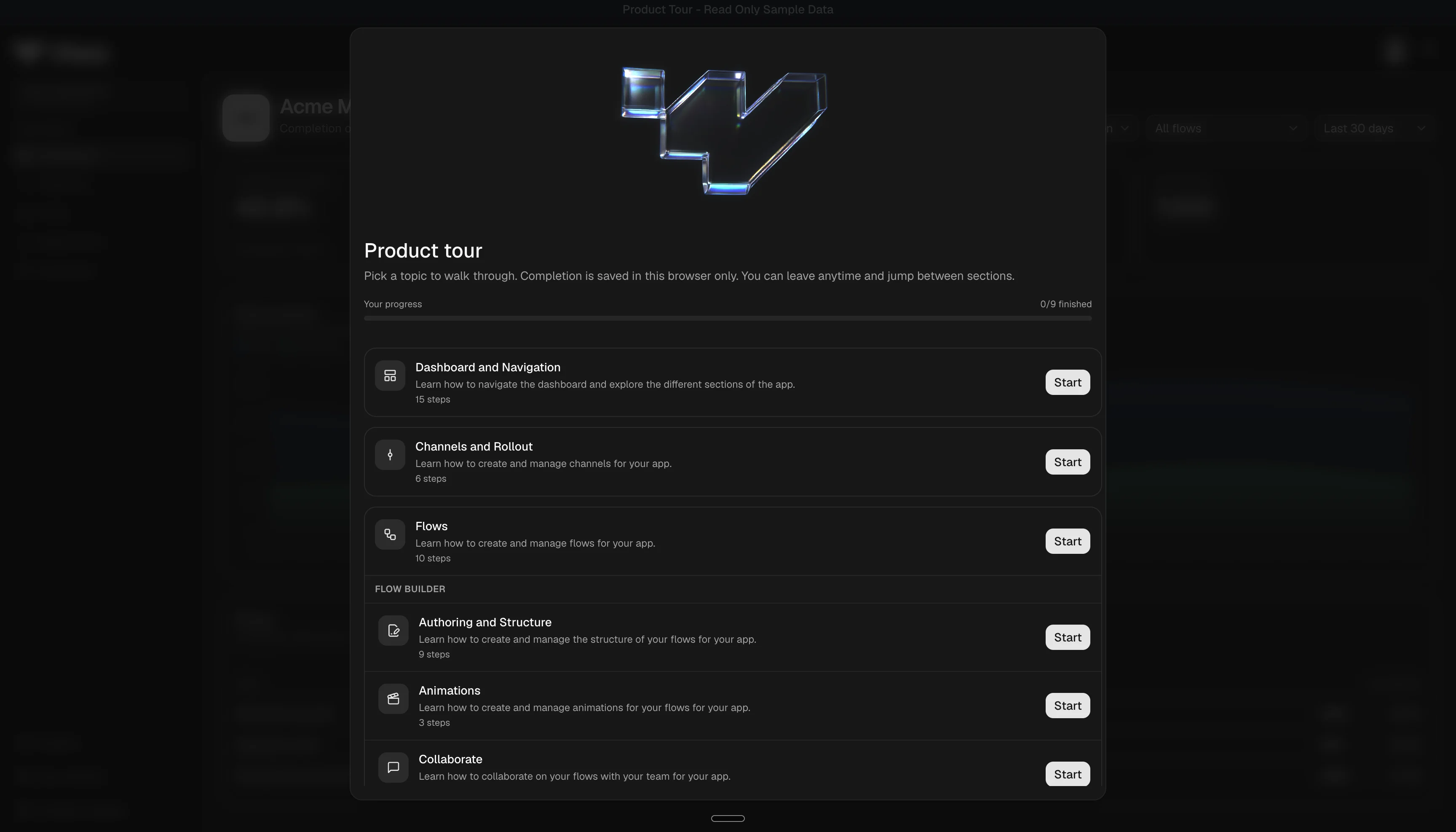
Rheo includes an interactive product tour that walks through dashboard areas: apps, channels, flows, the flow builder, experiments, customers, and Engage. It uses sample data only.
Nothing in the tour writes to your workspace analytics or changes real apps. Use it to onboard stakeholders, preview Rheo before the SDK is integrated, or revisit features after setup.
How to open the tour
| Entry | Detail |
|---|---|
| Post-setup prompt | After first-time setup, Rheo may offer Take a product tour — opens the tour in a new tab |
| Direct link | Open the tour from Rheo's demo menu while signed in |
Choosing Skip, Take a product tour, or Import your existing flow dismisses the post-setup prompt so it does not reappear.
Tour chapters
The hub lists chapters in this order:
- Dashboard and navigation — sidebar, app overview, account settings shells
- Channels and rollout — channel list and assignment patterns
- Flows — flow catalog, plus nested Flow builder modules (author, animations, collaborate, ship)
- Experiments — draft, running, and pending decision states with sample results
- Customers — list, profile, and segments for Engage audiences
- Engage — overview and sending settings, plus nested chapters for Broadcasts, Automations, and Templates
Each chapter uses step-by-step overlays that highlight parts of the real dashboard chrome. Progress is saved in your browser — not on Rheo's servers — so completion badges are per device.
Demo data vs your workspace
| Aspect | Product tour | Your workspace |
|---|---|---|
| Apps and flows | Fixed sample content | Apps you create |
| Channels and experiments | Illustrative assignments and statuses | Your live configuration |
| Engage | Sample overview, broadcasts, automations, and templates | Your provider, broadcasts, automations, and templates |
| Analytics numbers | Seeded chart fixtures | Real SDK events |
| Changes you make | Not saved | Normal dashboard behavior |
| Getting started checklist | Hidden on demo pages | Shown after setup on real pages |
The tour reuses the same layout, components, and styling as production. Account areas such as billing and approvals may appear as read-only stubs — you cannot change subscription or approval policy from the tour.
Other demo surfaces
Rheo may offer separate preview experiences (for example Rheo Agent) outside the chapter tour. Those are exploratory demos, not replacements for SDK integration testing.
Limits
- You must be signed in to the dashboard.
- Tour progress lives in browser storage — clearing site data resets completion badges.
- Demo content may lag newly shipped UI; cross-check these docs when behavior matters.
Related
- Setup wizard — when the tour prompt appears
- Flows
- Channels & rollout
- Flow builder
- Experiments
- Rheo Engage
- Customers