
Members & roles
Invite teammates, assign roles, transfer ownership, and configure rollout approvers.
Overview
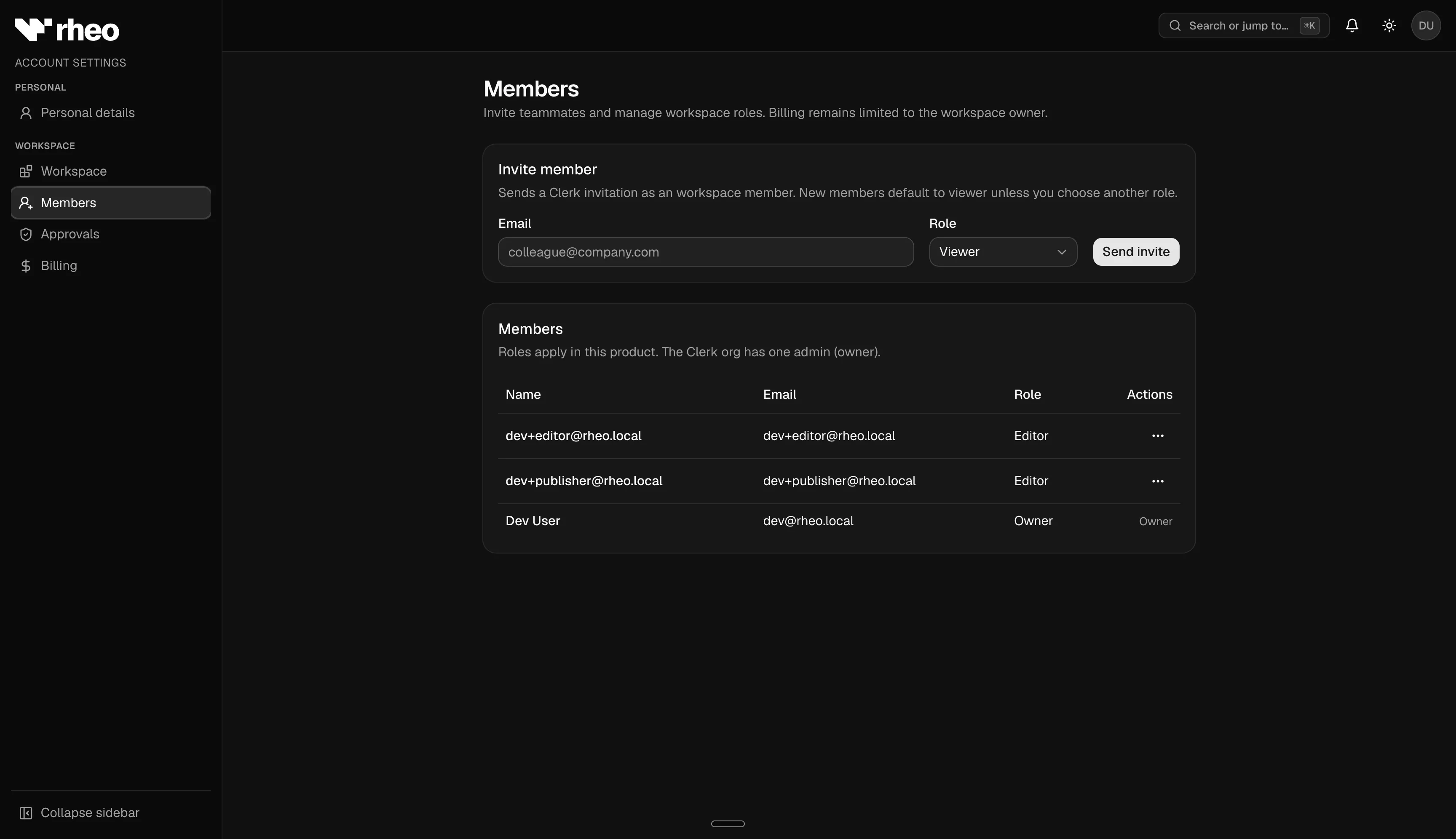
A workspace is your team's Rheo organization. Membership and roles live under Account → Members (and related Account pages). Roles determine who can edit flows, assign channels, manage billing, and approve rollouts.
For a map of every Account page — Personal, Workspace, Members, Billing, Approvals — see Account settings.
Roles
| Role | Typical access |
|---|---|
| Owner | Full access including billing, workspace deletion, and ownership transfer |
| Admin | Manage apps, members, and workspace settings; billing is owner-only |
| Editor | Edit and publish flows; manage channels and experiments |
| Viewer | Read flows, analytics, channels, and experiments; cannot edit |
When someone joins through your organization's identity provider, they typically start as a viewer until an owner or admin promotes them.
On the Indie plan, inviting teammates and managing experiments are not available regardless of role.
Invite teammates
Inviting members requires a Grow plan or higher.
- Open Account → Members.
- Enter the teammate's email and choose a role: admin, editor, or viewer.
- Submit — Rheo sends an invitation email.
The invitee signs in (or creates an account) and joins your workspace with the assigned role.
Owners can transfer ownership to another admin from the members table.
Rollout approvals (Scale plan and above)
Owners configure approval policy at Account → Approvals:
- Enable required approval for test and/or live channel assignment changes
- Designate editor members as approvers
When approval is required, editors submit rollout requests instead of applying channel pins directly. Approvers act on requests from channel detail pages and the notification bell.
See Channels & rollout for the full editor and approver workflow.
Product email preferences
On Account → Personal, the Product email section controls Rheo's internal onboarding tips and product updates for workspace users. This is separate from Rheo Engage lifecycle email to your app's customers.