
Store listing lookup
Prefill app name and icon from the App Store or Google Play when creating an app.
Purpose
When you create an app, Rheo can look up your public App Store or Google Play listing to prefill the app name and pull icon artwork into app branding. Store linking is optional — you can add or change it later from App settings.
Where to use it
| Surface | Behavior |
|---|---|
Create app (Apps → Create app) | Store section visible by default |
| Setup wizard (first app) | Store section hidden until you click Link store listing now (optional) |
Both use the same lookup and create flow.
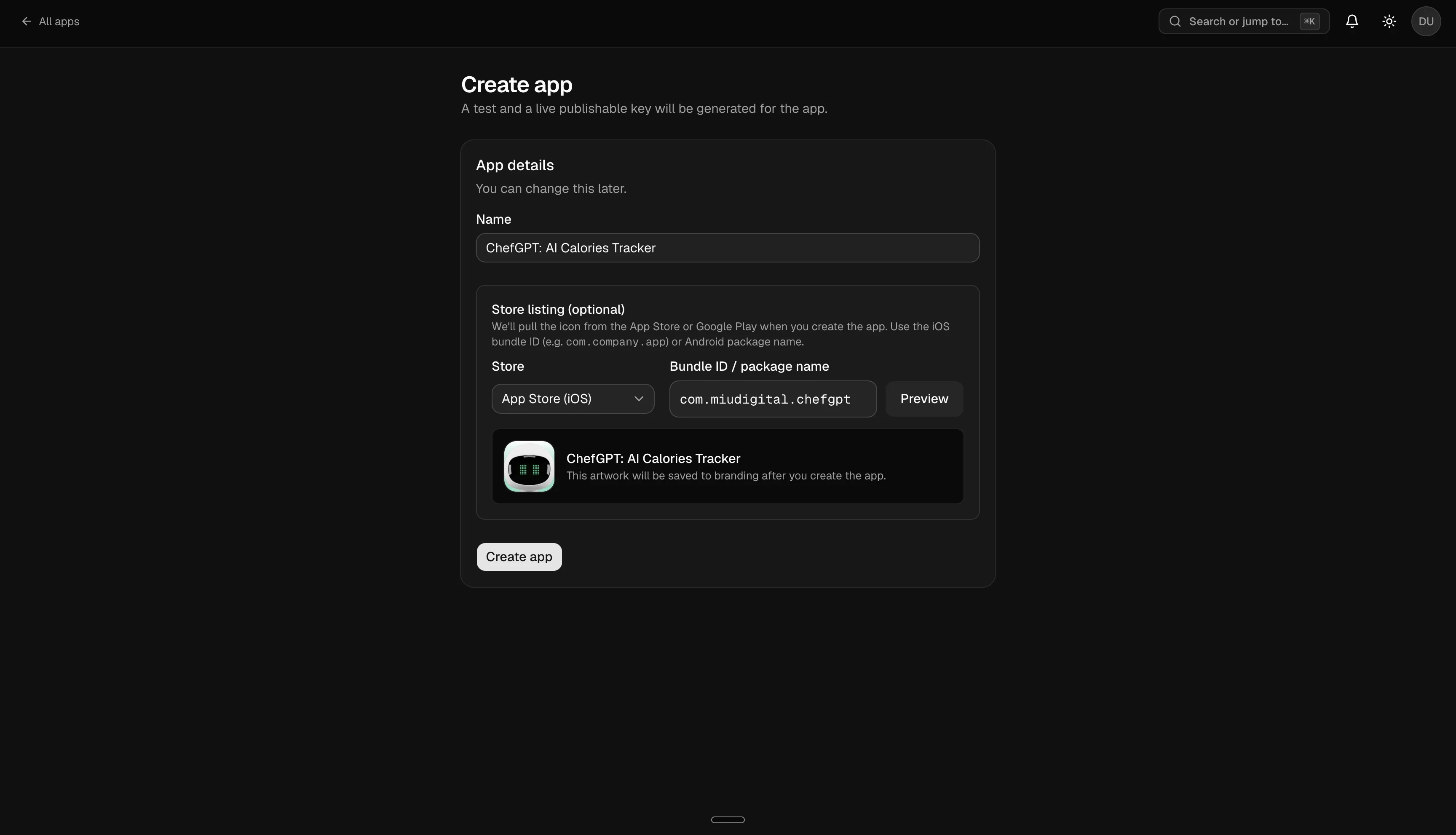
How to
- Choose Store: App Store (iOS) or Google Play.
- Enter the bundle ID (iOS, e.g.
com.company.app) or package name (Android). - Click Preview to search the public store listing without creating the app yet.
- When a listing is found, Rheo shows the matched name and icon preview.
- Submit Create app — if you provided a store ID, Rheo saves the listing reference and stores icon artwork in branding when available.
If lookup fails, verify the ID in App Store Connect or Google Play Console. You can still create the app with a manual name.
After creation
You can refresh the app icon from the store later under App settings → Branding → App icon using the same bundle ID or package name.
What Rheo reads
Rheo uses public store listing data only — display name and icon artwork. Rheo does not store your App Store Connect or Google Play credentials.
| Platform | Source |
|---|---|
| iOS | Public App Store listing for the bundle ID |
| Android | Public Google Play listing for the package name |
Lookups time out after a short wait if the store is slow to respond.
Limits
- Store lookup is available in the dashboard only (not from the mobile SDK).
- Icons are fetched from store CDNs at create time; later rebranding uses App settings.
- Your workspace plan still caps how many apps you can create, regardless of store linking.
Related
- Setup wizard — first app creation during onboarding
- Apps & settings — branding and general app settings
- Concept: App