
Customers
Browse end users, inspect individual journeys, and debug support issues one person at a time.
What Customers is for
Customers are the real people using your app who interact with Rheo onboarding. Each row is identified by the customer id your app sends through the SDK.
The sidebar Customers group includes:
- All customers — journey list and profiles (this page)
- Segments — audience filters (rules or AI) for Engage broadcasts and automations
Dynamic segments use rules (attributes, consent, did / did not do an event). Static segments are a fixed membership from a CSV of existing customers (Import segment).
Use All customers to answer support questions ("what did this user see?"), verify a single journey, inspect captured variables and permissions, or manage email marketing consent. For charts across thousands of users, use Customers & analytics instead.
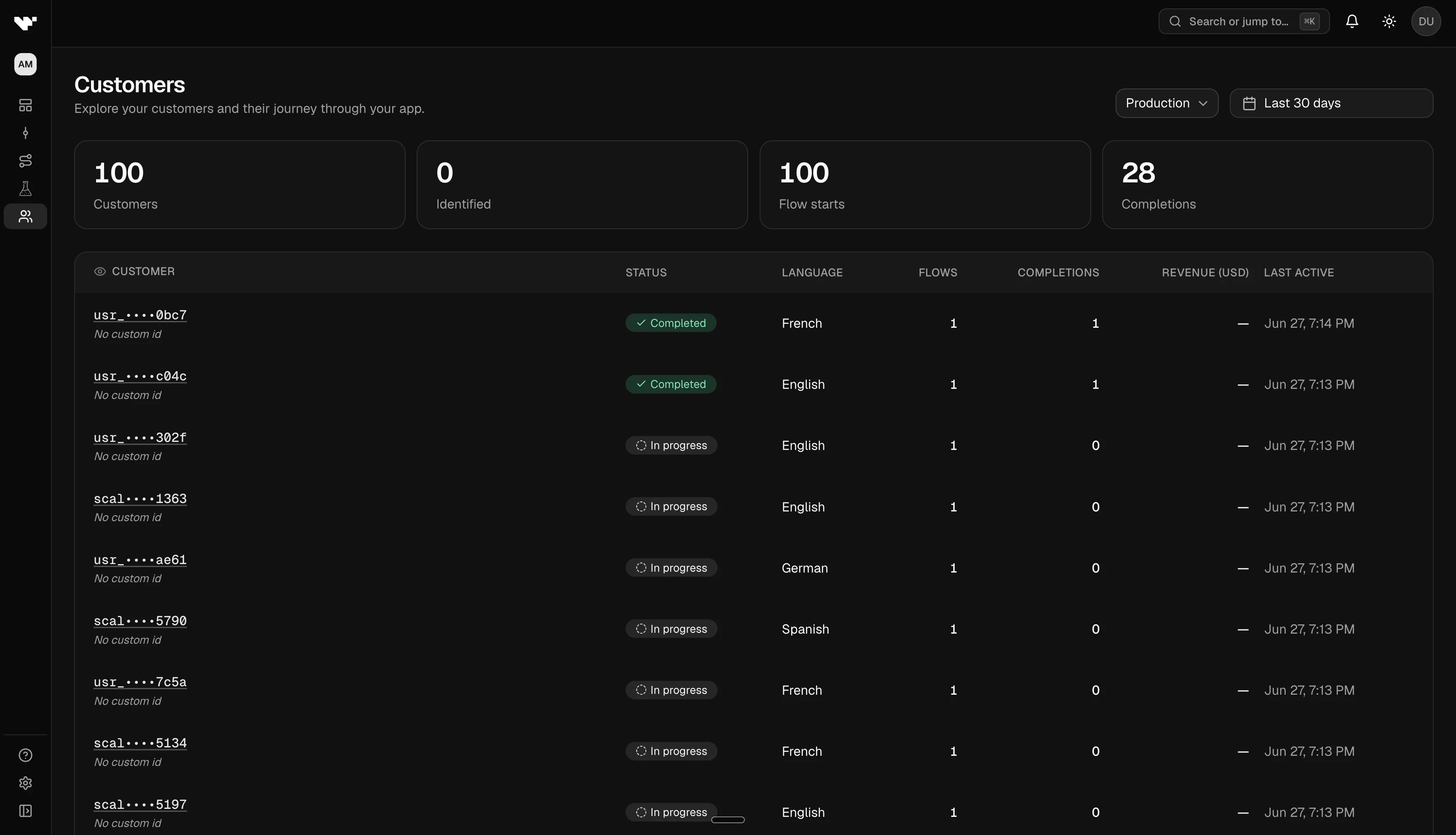
Customer list
Open Apps → (your app) → Customers → All customers.
Filters
- Environment — test or live (same selector used elsewhere in analytics)
- Date range — presets (default last 30 days) or a custom window; counts reflect events in that window only
Table columns
| Column | Meaning |
|---|---|
| Customer ID | Masked identifier with a link to the profile |
| Status | Completed if they finished a flow in range; otherwise In progress |
| Language | Latest locale from their events |
| First / last seen | Activity timestamps in the selected range |
| Flow starts / completions | How many times they started or finished flows |
| Revenue | USD total when purchase events exist |
Summary tiles above the table show totals for customers in range, identified users (when your app sends a custom user id), flow starts, and completions.
Customer profile
Click a customer to open their profile.
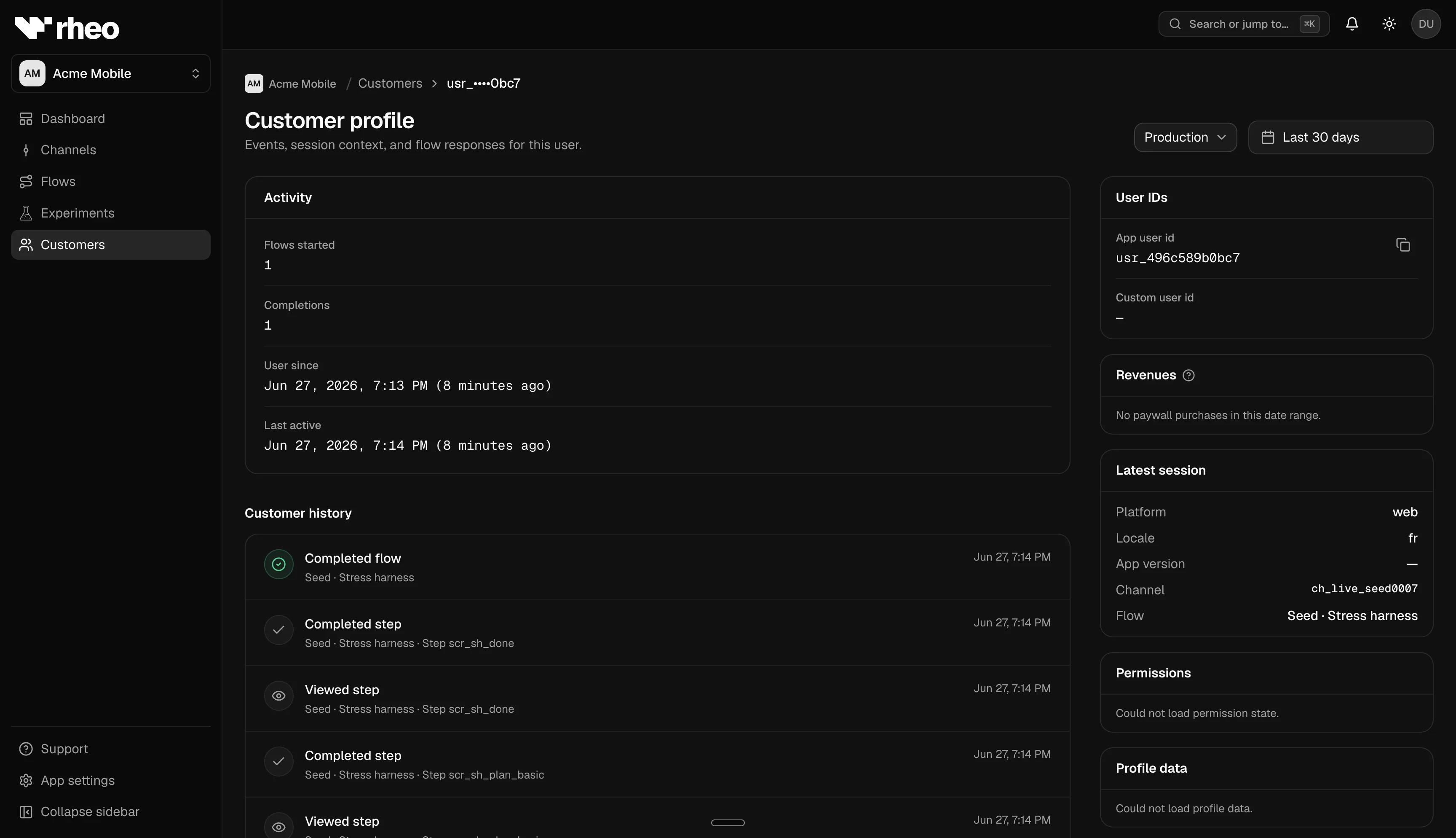
Activity summary
Cards for flows started, completions, user since, and last active when start events exist in your date range. If the profile looks empty, try another environment or a wider range.
Customer history (timeline)
A chronological list of what this person did: flow starts, steps viewed, completions, branch decisions, and more. Flow names appear in plain language. Each row includes step context and timestamps.
Experiment variant labels can appear here — useful when validating which arm someone was in.
Sidebar panels
| Panel | Content |
|---|---|
| User IDs | Customer id, optional custom id from your backend, session context |
| Revenues | Purchase revenue in USD and per-currency breakdown |
| Recent context | Latest platform, locale, app version, channel, and flow |
| Variables | Values captured in flows or sent from the SDK |
| Permissions | OS permission states Rheo recorded (for example notifications) |
Sensitive variable values may be masked in the UI depending on the key.
Identity fields
| Field | Role |
|---|---|
| Customer id | Required stable id from your app — primary key for analytics |
| Custom user id | Optional id from your CRM or backend |
| Session id | Optional per-launch session |
Customers are built from real SDK events, not synthetic personas. Your developers must send a stable customer id for sticky experiment assignment and accurate history.
Customers vs flow analytics
| Question | Where to look |
|---|---|
| How is this one person doing? | Customers profile |
| How is the flow performing overall? | Customers & analytics on the flow page |
| Which variant won? | Experiments |
Limits
- The list shows up to 100 customers per page; use filters to narrow results.
- Aggregates may lag slightly after sudden traffic spikes.
- Viewers can browse customers if they have read access to the app.