
SDK environment
Test vs live environments, publishable keys, and how the SDK connects to Rheo.
Purpose
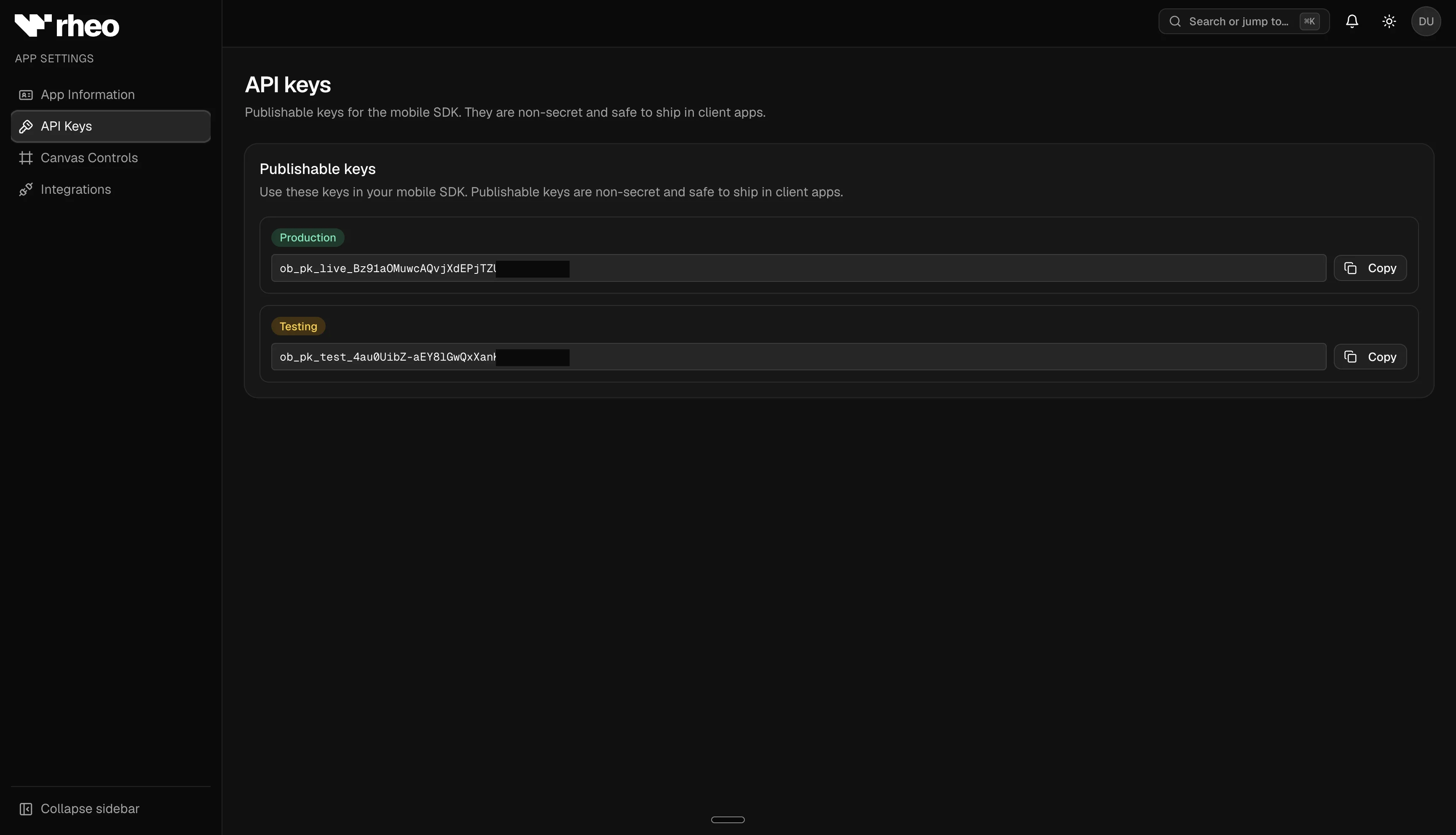
Every Rheo app has two fixed environments: test and live. They are created automatically—you do not add environments manually. Each environment has its own publishable API key and channels. The SDK authenticates with the key (which selects the environment) and names the channel (which selects which flow or experiment to serve).
Publishable keys
| Environment | Key format | Typical use |
|---|---|---|
| Test | Starts with ob_pk_test_ | Development, QA, internal builds |
| Live | Starts with ob_pk_live_ | App Store, Play, and production website builds |
Copy keys from App settings → API keys. Keys are used when your app initializes the SDK—they are not dashboard login credentials. The same key works for the mobile SDKs and the web SDK. Browser calls also require the site origin on Allowed web origins. Never commit live keys to public source control.
Production API: Live (ob_pk_live_*) and test (ob_pk_test_*) keys both talk to Rheo's hosted API at https://api.getrheo.io. The key selects the environment (test vs live channel assignments); you do not need a separate API host unless you self-host.
Channel routing
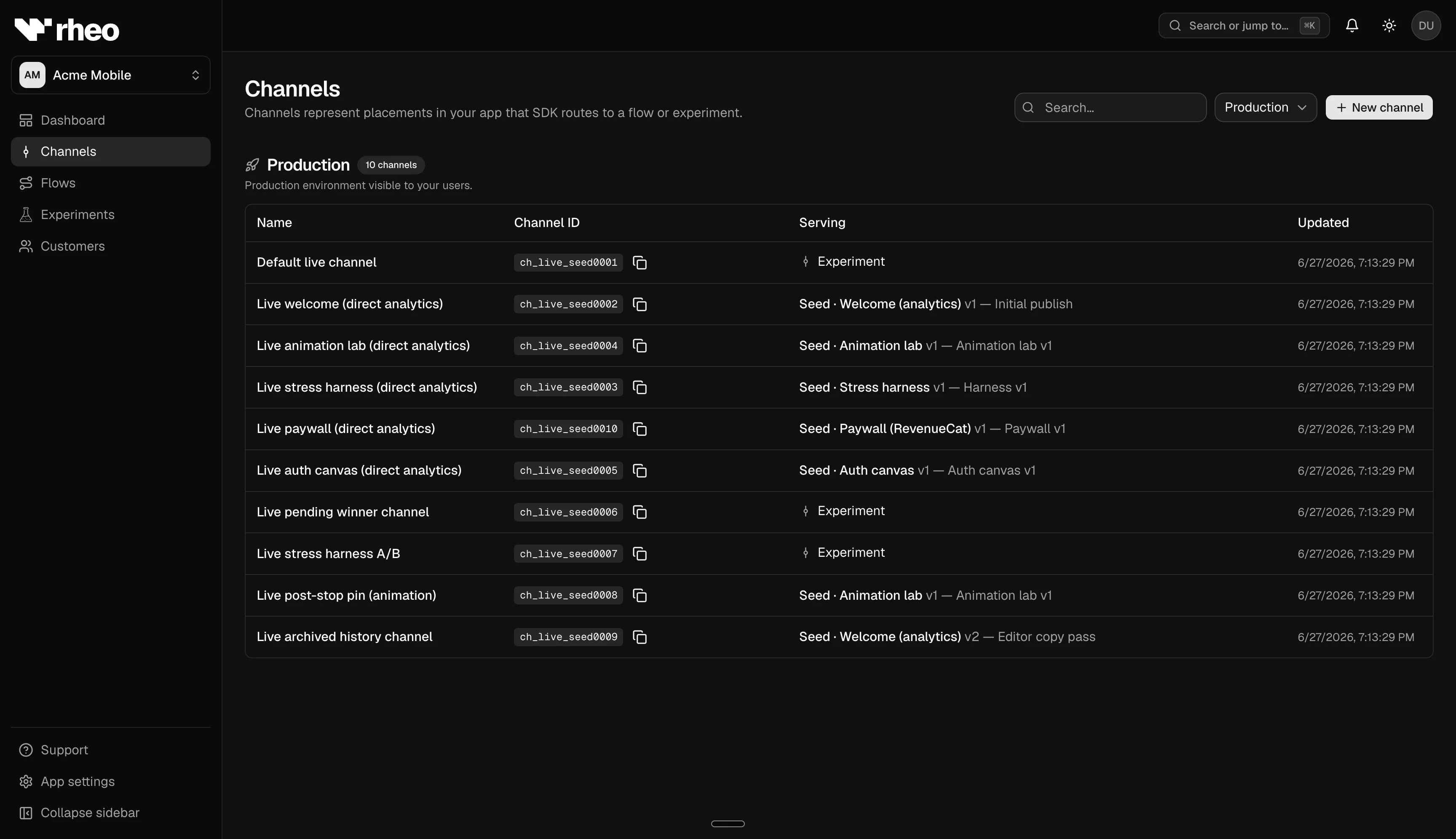
A channel belongs to exactly one environment. When you integrate the SDK, pass the channel's public ID (for example ch_test_… or ch_live_…) alongside the publishable key for that environment.
Rheo verifies the channel matches the app and environment implied by the key. The SDK never sends a flow ID—the server returns whichever published flow version (or experiment variant) is active for that channel.
React Native example
import { RheoProvider } from '@getrheo/react-native-expo';

<RheoProvider
  publishableKey="ob_pk_test_…"
  channelId="ch_test_…"
  appUserId={userId}
>
  {children}
</RheoProvider>
See the React Native SDK guides for setup, caching behavior, and event APIs.
Logging: Omit logLevel on RheoProvider in production builds — the SDK defaults to silent (no console output). Use warn when debugging event transport; debug only in dev builds for manifest dumps and integration hints. See Diagnostics and logging.
Dashboard test vs live toggle
Analytics, channels, and customer lists include a test / live environment switch. The selection persists when you share links with teammates. This toggle affects dashboard views only—the SDK environment is determined by which publishable key you embed in the app build.
MAU and billing
Live environment monthly active users count toward plan limits and Indie caps. Test traffic is excluded from live MAU metering. Usage alerts appear in the dashboard as you approach limits on Indie plans.
Related
- SDK (Developer Guide) — Integration, rendering flows, terminal snapshots, and caching.
- Channel — How assignments route traffic.
- Plans & entitlements — MAU limits by plan.