
Channel
Routing surfaces that map SDK traffic to a published flow or experiment per environment.
Purpose
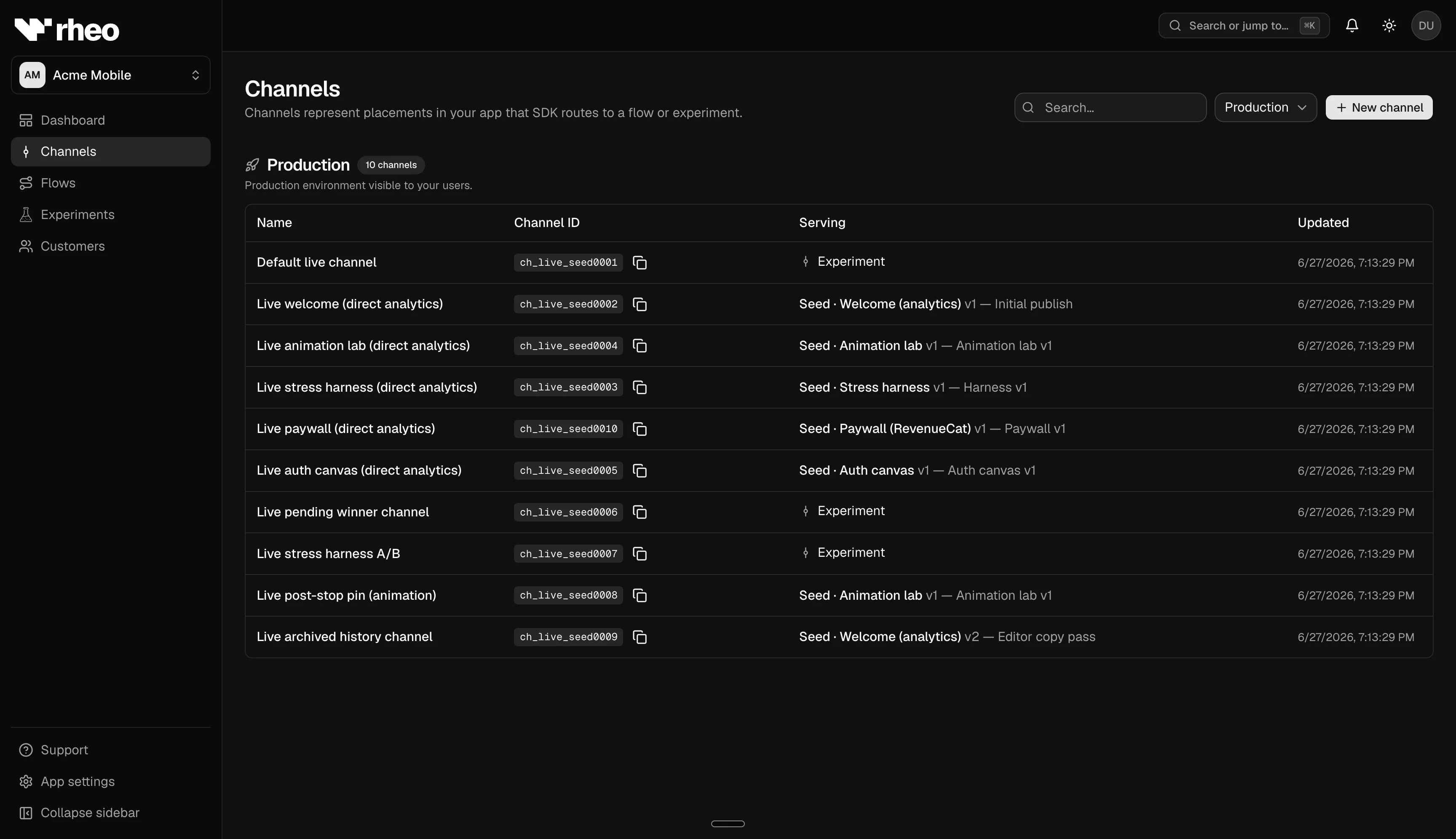
A channel is a named routing surface in either the test or live environment. Your mobile app tells the SDK which channel to use; Rheo serves whichever published flow version (or experiment) is assigned to that channel. Changing the assignment updates what users receive on their next session—without shipping a new app build.
Channels let you expose flows to QA, staged cohorts, or production users without embedding flow content in your app binary.
How routing works
The SDK needs two pieces of configuration:
- Publishable key — Selects the app and environment (test or live). You copy this from App settings → API keys.
- Channel ID — Selects which channel within that environment. Each channel has a public ID you pass to the SDK.
The SDK does not send a flow ID. Rheo decides which published flow (or experiment variant) to serve based on the channel's current assignment:
| Assignment | Behavior |
|---|---|
| Direct | Serves the pinned published flow version |
| Experiment | Buckets the user across variant arms on that channel |
When you change an assignment, clients pick up the new flow on their next resolve. The SDK caches content efficiently so unchanged assignments do not re-download unnecessarily.
How to manage channels
Open Channels inside your app to create channels, assign flows, and review assignment history. If your workspace uses rollout approvals, assignment changes may enter a request queue before they go live.
Related
- Channels & rollout — Assign flows, approvals, archive patterns.
- SDK environment — Test vs live keys.
- Experiment — A/B tests on a channel.