
Experiment
Channel-scoped A/B test comparing published flow variants on a chosen primary metric.
Purpose
An experiment splits traffic on a single channel across two or more published flow variants. Rheo assigns each end user to one arm and keeps that assignment stable across sessions, so results are comparable over time.
Each experiment has a primary metric (flow completion, paywall purchase, or a scoped custom SDK event). Rates, lift, significance, and the winning-variant call all use that metric. See Experiments.
Experiments require Grow+ and count toward your workspace limit on concurrent experiments (draft, running, and pending-decision slots combined).
Status lifecycle
| Status | Meaning |
|---|---|
| Draft | Configuring variants, weights, and primary metric; not serving traffic |
| Running | Actively assigning users until the scheduled end time |
| Pending decision | End time reached; traffic continues with frozen weights until you promote a winner or extend |
| Stopped | Experiment ended; the channel may fall back to a direct flow assignment |
When an experiment runs, the channel's assignment type is experiment instead of direct.
Statistical design
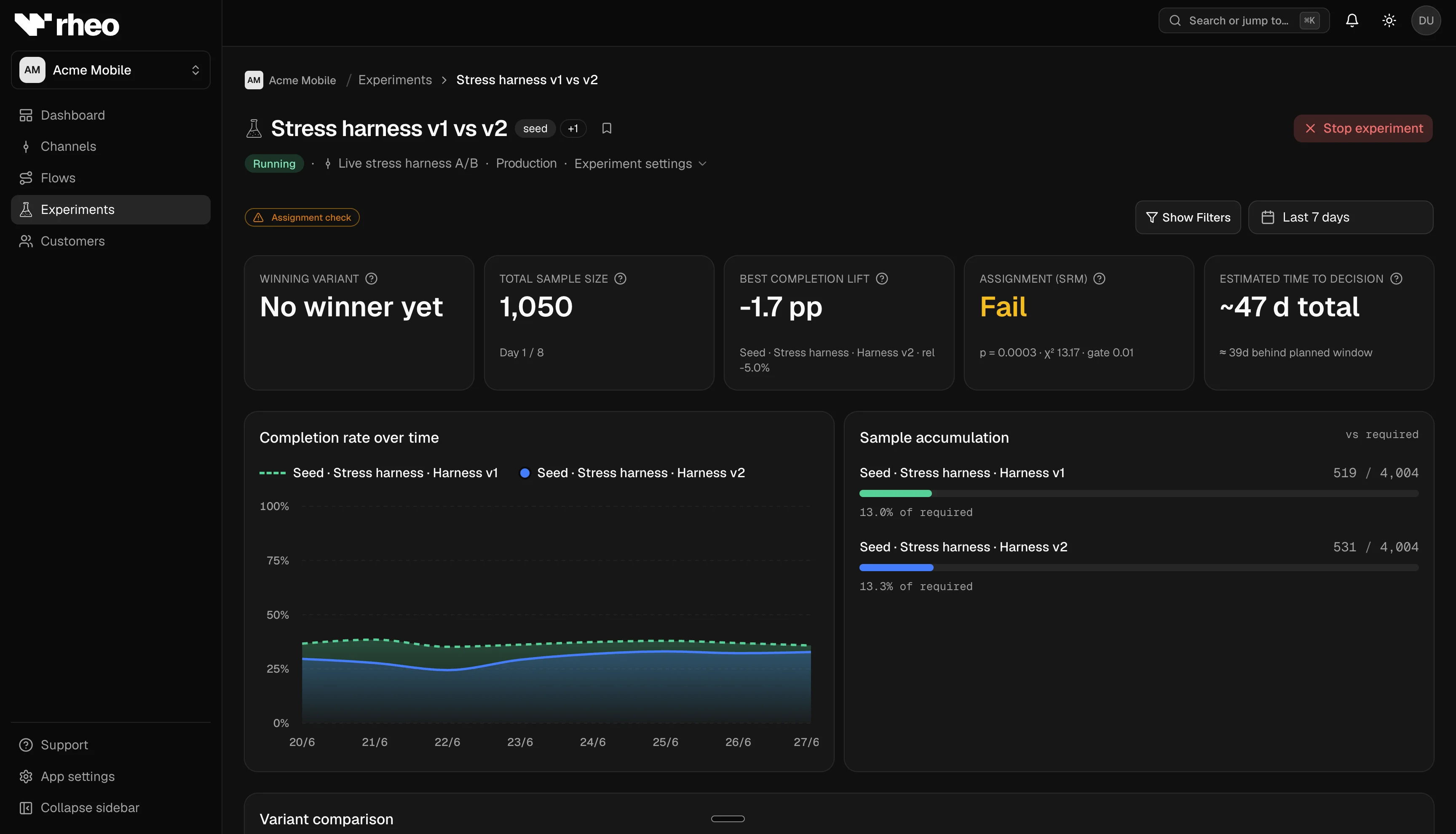
While configuring a draft, you can set baseline rate, minimum detectable effect (MDE), significance level, and statistical power so the sample size planner estimates how many starters you need per arm. After the run, the dashboard compares arms to the control (first variant) on the primary metric, with confidence intervals, lift, Bonferroni-adjusted significance, and diagnostics for uneven traffic split.
Operator workflow
- Create an experiment on a channel with variant weights and a primary metric.
- For custom events that need a layer or step, pin variants, then pick the target on the draft Primary metric card.
- Start the run. The SDK assigns variants as users resolve.
- Monitor stats on the experiment detail page and per-flow analytics.
- At end: promote a winner to a direct channel assignment or extend the run.
Related
- Experiments: Launch, primary metric, extend, pending decision.
- Experiment sample planning: Planner inputs and formulas.
- Channels & rollout: Channel assignment context.