
Billing & subscriptions
Workspace plans, checkout, MAU metering, marketing-send overage, and Indie usage limits.
Overview
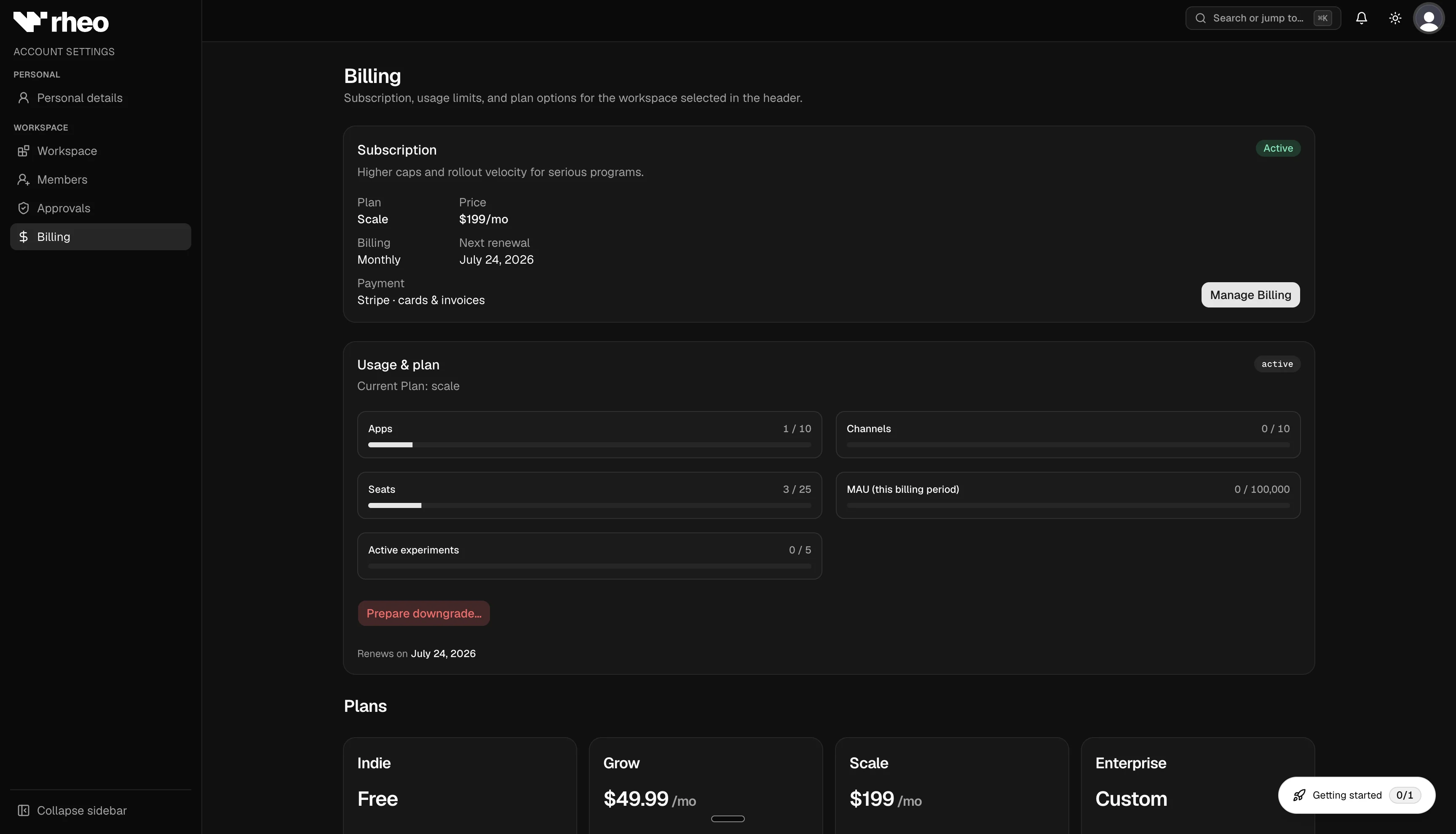
Rheo workspaces run on subscription tiers. The Billing page shows your current plan, live MAU usage, upgrade options, and downgrade tools. Only owners can change subscriptions; other roles may see plan context but cannot manage billing.
Plans at a glance
| Plan | Apps | Channels per environment | Seats | Included live MAU | Experiments | Translations, AI, animations |
|---|---|---|---|---|---|---|
| Indie | 1 | 1 | 1 | 400 | No | No |
| Grow | 3 | 3 | 5 | 10,000 | Yes (max 2 concurrent) | Yes |
| Scale | 10 | 10 | 25 | 100,000 | Yes (max 5 concurrent) | Yes |
| Enterprise | Unlimited | Unlimited | Unlimited | Unlimited | Unlimited | Yes |
Grow and Scale also unlock partner integrations (RevenueCat, Superwall, AppsFlyer) and mobile attribution. Scale adds rollout approvals for channel changes.
See Plans & entitlements for the full feature comparison.
Manage billing
- Open Account → Billing.
- Review the current plan card, live MAU, and marketing sends for the billing period.
- To upgrade, choose Grow or Scale on the pricing table and complete checkout (monthly or yearly).
- To update payment methods or download invoices, open the billing portal.
- To downgrade, use Downgrade preview to see what must be archived — excess apps, channels, experiments, or members — then Apply downgrade. Automations and dynamic segments already over the target cap stay in place.
After a successful upgrade, the billing page refreshes with your new plan and updated workspace capabilities.
Indie MAU cap and alerts
Indie workspaces meter live-environment unique end users on a UTC calendar month (not aligned to a paid billing cycle).
- At 50%, 80%, and 100% of the 400 MAU limit, owners and admins receive email alerts (once per threshold per month).
- When live MAU exceeds 400, Rheo pauses SDK traffic for that workspace until usage resets or you upgrade.
- Traffic resumes on the next UTC month if you are under the cap, or immediately after upgrading to a paid plan.
A MAU usage banner appears in the dashboard when alerts are active.
Paid plan overage
Grow and Scale include a monthly MAU allotment. Usage above the included amount is billed at $0.01 per live MAU per month. Enterprise overage terms are defined in your contract.
Marketing send allotment
The billing page shows admitted live marketing sends next to live MAU.
- Indie: 2,000 sends per UTC month. Further sends pause until the next month. Mail already handed to your provider still goes out.
- Grow: 50,000 sends per subscription period, then $1 per 1,000 additional sends.
- Scale: 500,000 sends per subscription period, then the same $1 per 1,000.
- Enterprise: included volume is set by contract and is not metered.
Checkout for Grow and Scale includes the base price, the MAU meter, and the marketing-send meter. Existing subscriptions need the send price attached before overage can be invoiced. Until that item exists, sending continues and the meter is not reported.
Limits and permissions
- Only workspace owners can start checkout, open the billing portal, or apply downgrades.
- Past-due subscriptions enter a grace period; if payment is not resolved, SDK traffic may be paused until billing is current.
For deployment-specific billing configuration, contact your Rheo admin or see your deployment guide.